You have a guitar, an interface and one free evening. The question is whether to point a microphone at the instrument, plug the guitar straight into your interface, or capture both at once. This guide covers the practical side of each approach so you can choose the right one for the track in front of you.
What You Are Actually Choosing Between
What a microphone hears
A microphone captures the whole instrument: strings, top, body and the room around it. That is also the problem. It hears the fan in your laptop, traffic outside and the way your room rings on every hard note. In a soft-furnished room a mic sounds like the guitar sounds to your ears. In a bare room it sounds like the room.
What the pickup gives you
An under-saddle piezo pickup gives you a dry, focused, extremely close signal with no room at all. On stage that is a lifesaver. Recorded solo, most piezo outputs have a characteristic quack around 2 to 4 kHz and very little body. Magnetic soundhole pickups are warmer but lose top-end sparkle. Both are perfectly usable once you know what you are dealing with.
Why both is often the best answer
Blend them and you get the body and air of the microphone plus the definition and consistency of the pickup. If your mic track has a noise problem, the pickup track can carry the mix. Two tracks, one guitar, plenty of options when you mix.
Recording With a Microphone
Start at the 12th fret
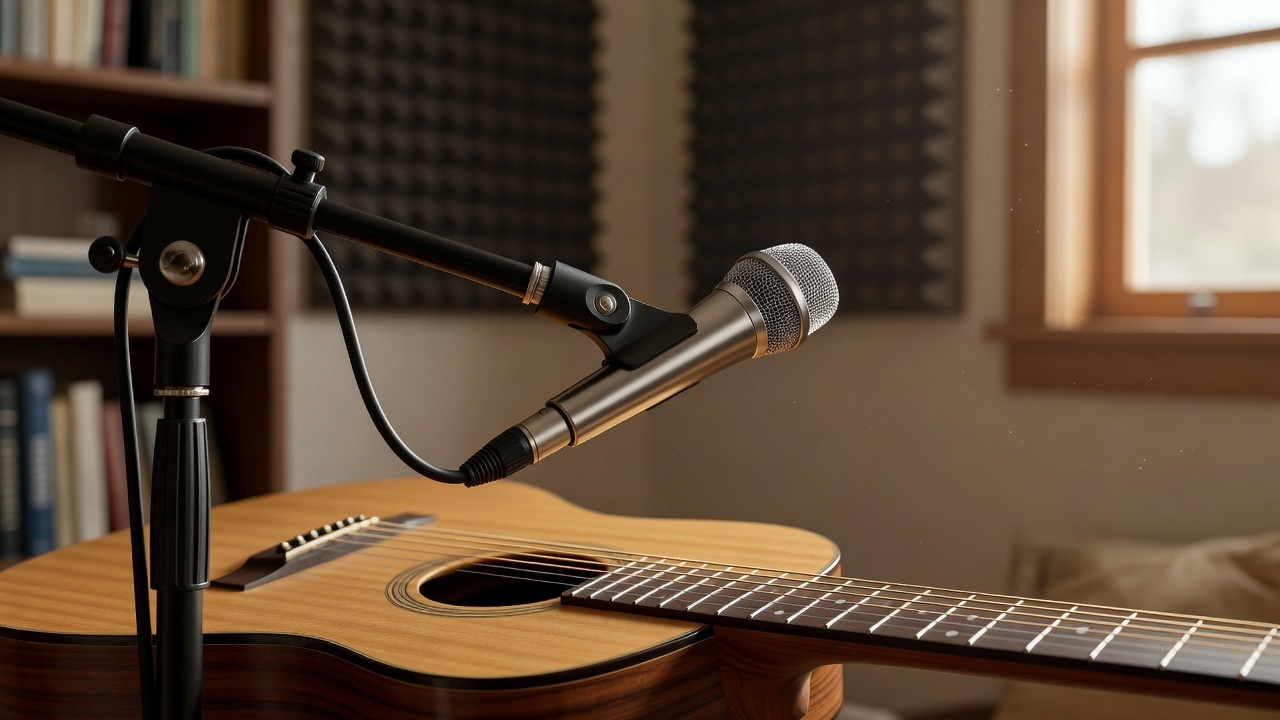
Place the mic roughly 15 to 25 cm from the guitar, aimed at the 12th fret, angled slightly toward the soundhole. That spot balances string detail with body. Moving toward the soundhole adds boom. Moving toward the neck adds brightness. Aiming where the neck meets the body gives a hollow, woody tone that suits fingerpicking.
Distance and angle
A small-diaphragm condenser at about 20 cm is the classic starting point. If your room sounds bad, get closer, around 10 to 15 cm, and use a cardioid pattern. If your room sounds good, back off to 40 to 60 cm and let the instrument breathe. Never point a mic straight at the soundhole from 5 cm away, because that is where the mud lives.
Kill the obvious problems first
Turn off the fan, silence your phone, close the window. Sit still. A guitar that moves during a take changes phase and tone on every pass. If you have two microphones, try one at the 12th fret and one over your right shoulder, then check the phase: flip one channel and keep whichever setting sounds fuller rather than thinner.
Recording Direct From the Pickup
What you need
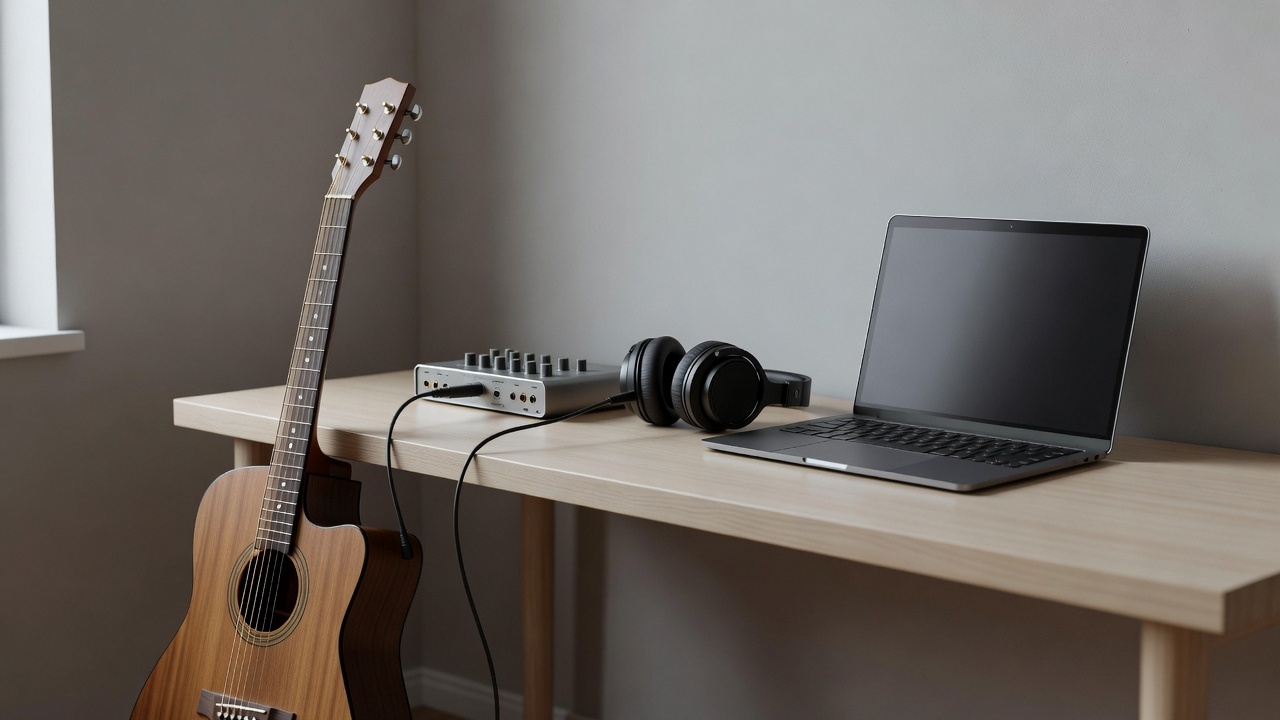
If your guitar has a built-in preamp with an XLR or balanced output, run it straight into your interface. If it only has a standard jack, run it into a DI box or preamp first, then into the interface. Keep cable runs short and keep the guitar cable away from power supplies, chargers and USB hubs.
Setting levels and shaping the quack
Aim for peaks around -12 dBFS and never touch 0. Then tame the piezo. A high-pass filter at 80 to 100 Hz removes handling rumble. A narrow dip of 3 to 6 dB somewhere between 2.5 and 4 kHz handles most of the quack. If it still sounds like a plastic box, a gentle boost near 200 Hz and again around 5 to 8 kHz puts some body and string back in.
Blend and check phase
Load the mic track and the pickup track side by side. Nudge the pickup track a few milliseconds earlier or later until the combined sound gets louder and fuller instead of thin and hollow. Then blend to taste. Most players like the mic loud and the pickup underneath at 20 to 30 percent, just enough to add bite without hearing the piezo.
Managing the Room and the Noise Floor
Room treatment does not have to mean foam on every wall. A thick rug, a sofa, heavy curtains and a full bookshelf will kill the worst reflections. Record with the mic at least a metre from any bare wall behind it. If hum is a problem, unplug laptop chargers and dimmer lamps, and try a different USB port.
Headphones make everything easier. Closed-back headphones let you hear the click without it leaking into the microphone. Set the click low, count yourself in, and stop chasing perfection on the first three takes.
A Practical 30 Minute Session
- Tune, then tune again. Acoustic guitars drift with temperature.
- Set the mic at the 12th fret, about 20 cm away, and record 30 seconds of strumming.
- Listen back on headphones. Move the mic one hand-width, record again, compare.
- Plug in the pickup and record the same part direct.
- Play both tracks together, align the phase, then blend.
- Pick the winner for this song and delete what you do not need.
That loop of record, listen, move, repeat is the whole skill. After a few sessions you will place a mic by instinct and know within seconds whether the direct signal is worth keeping.
Gear that helps
A solid-top acoustic with a working pickup gives you both options from day one, and one small-diaphragm condenser plus a clean interface will carry every acoustic session you do. If you play fingerstyle or classical, a nylon-string instrument responds beautifully to the same 12th fret technique. Browse Acoustic Guitar, Classical Guitar and Guitar Amplifiers before your next session, since an acoustic amp doubles as a monitor and a clean DI for pickup recording.